Ditch the Clipboard.
Go Digital.
Paper work orders get lost, damaged, or left in the van. With Trackara Pro, you capture signatures, document the scope of work, and snap photos, all from your phone, right at the job site. Then convert to an invoice with one tap. No more retyping at the kitchen table at 8 PM.
Paper Work Orders Cost You Money
If you're still writing work orders by hand, you're losing time, money, and credibility every single day.
Paper Doesn't Survive the Job
Grease, wind, rain, coffee, paper work orders have a hundred ways to die before you get back to the van. And once they're gone, so is your documentation.
"I Never Approved That"
Without a signed work order, you have no proof the customer agreed to the scope. Disputes happen, and without documentation, you're the one who loses.
Retyping Everything at Night
You finish three jobs, get home at 7, and spend the next hour retyping handwritten notes into invoices. That's unpaid labor, every single night.
Everything a Paper Work Order Wishes It Could Do
Digital work orders that protect your business, save you time, and make you look professional.
Digital Signature Capture
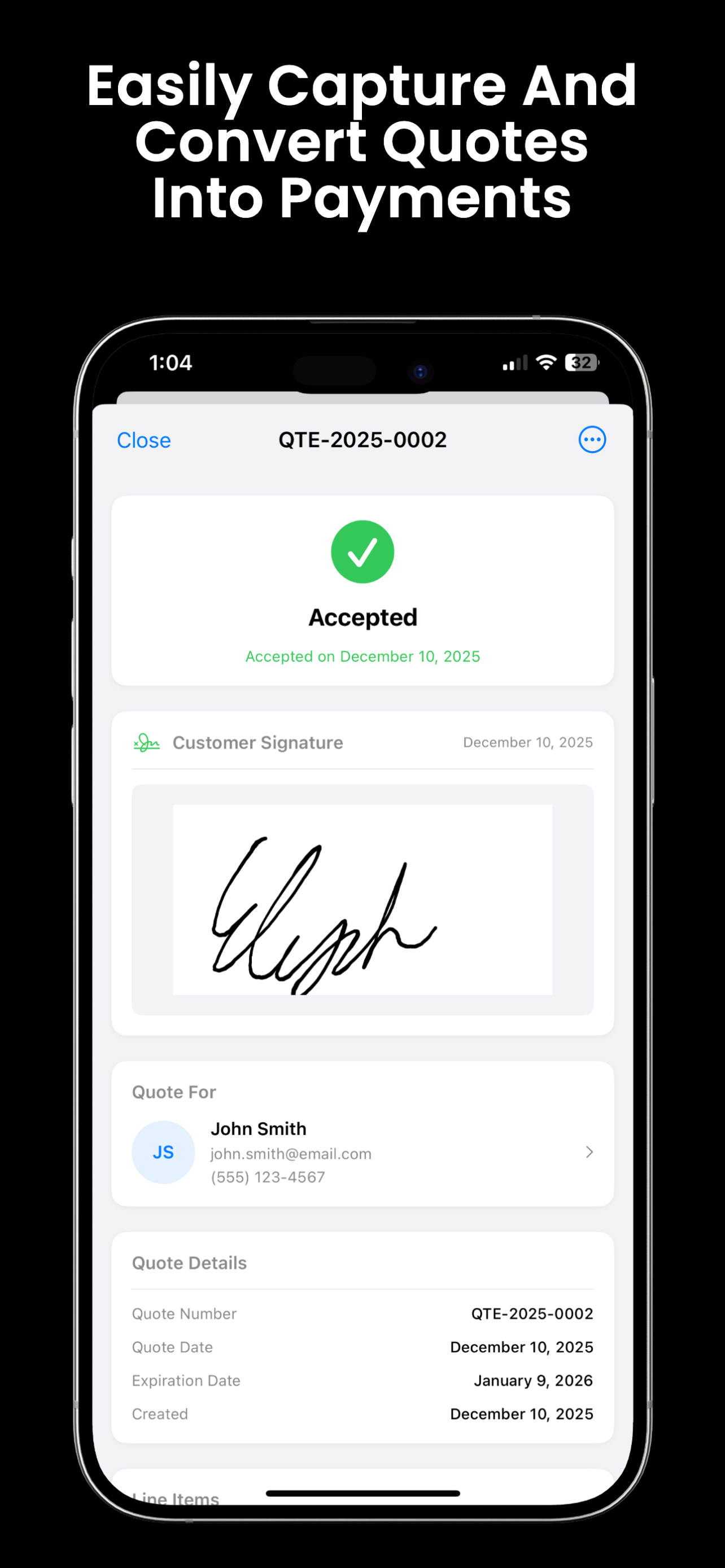
Hand the phone to your customer, they sign with their finger, and you've got a legally documented approval. No clipboard, no pen, no argument later.
Detailed Scope of Work
List out exactly what you're doing, parts, labor, timeline. Your customer sees it, signs off on it, and there are no surprises when the bill comes.
Before & After Photos
Snap a photo of the rusted brake rotor before and the new one after. Attach it right to the work order. Proof of work that speaks for itself.
One-Tap Invoice Conversion
When the job's done, tap once to convert the work order into a professional invoice. All the line items, labor, and totals carry over. No retyping.
Customer Approval Up Front
Get explicit approval before you turn a wrench. The customer sees the scope, the cost estimate, and signs off. You're protected from day one.
Complete Audit Trail
Every work order is timestamped, signed, and stored. Pull up the full history for any job, any customer, any vehicle, even months later.
From Quote to Invoice in Four Steps
The whole workflow happens on your phone. No laptop, no office, no paper shuffling.
Create the Work Order
Start from an approved quote or build one from scratch. Add line items, labor, parts, and notes right on your phone before you lift the hood.
Customer Signs
Hand the phone to your customer. They review the scope and sign with their finger. Done in 10 seconds. You're covered before you start.
Document as You Go
Snap before and after photos during the job. Add notes if the scope changes. Everything is attached to the work order automatically.
Convert to Invoice
Job done? One tap converts the work order into a professional invoice. Send it before you pull out of the driveway. No retyping, no waiting.
No more "I never agreed to that."
Digital signatures protect you and your customer.
Every work order is documented, timestamped, and signed before you start. And when the job's done, converting to an invoice takes one tap instead of 30 minutes of retyping at the kitchen table.
Sign Up FreeWork Orders Connect to Everything in Trackara Pro
Invoicing
Convert work orders to invoices with one tap. All line items carry over automatically.
Learn moreQuotes & Estimates
Build quotes before the job and convert them into work orders when the customer approves.
Learn moreTime Tracking
Accurate labor hours tracked per job flow right into your work order and invoice.
Learn moreClient Management
Every work order ties to a client and vehicle record. Full service history at your fingertips.
Learn moreReady to Leave the Clipboard in the Van?
Join mobile mechanics who've gone digital with Trackara Pro. Faster documentation, fewer disputes, and no more retyping invoices at night.
Work Orders FAQ
Answers for mobile mechanics
Can I get a digital signature from customers on work orders?
Yes. Customers sign directly on your iPhone, iPad, or Android device. The signature is saved to the work order as proof of authorization, so if a dispute ever comes up, you have a timestamped, signed record of what was approved.
Can work orders be converted into invoices?
Yes, with one tap. All line items, labor, and parts automatically carry over from the work order to the invoice. No re-entry, no missed charges, no spreadsheet juggling.
Does Trackara Pro track work order status?
Yes. Every work order moves through a clear status workflow: Draft → Awaiting Approval → Approved → In Progress → Completed. You and your customer always know where things stand, and you can photograph work in progress for documentation.
Do I need a separate work order app if I already have Trackara Pro?
No. Trackara Pro includes full digital work orders as part of the standard $49.99/month subscription, no add-ons, no upgrade tiers. You get work orders, invoices, client management, OBD2 diagnostics, mileage, scheduling, and analytics in one app.