Stop Writing Invoices on Your Tailgate
You just spent two hours under a truck doing ball joints. The last thing you want to do is sit there scribbling up an invoice by hand, trying to remember every part and how much you charged for labor. You forget a line item, the customer drives off, and that money is gone forever. Trackara Pro lets you build a clean, professional invoice right from your phone, add your parts, labor, and services, see your profit, and send it to the customer before you even pull out of the driveway.
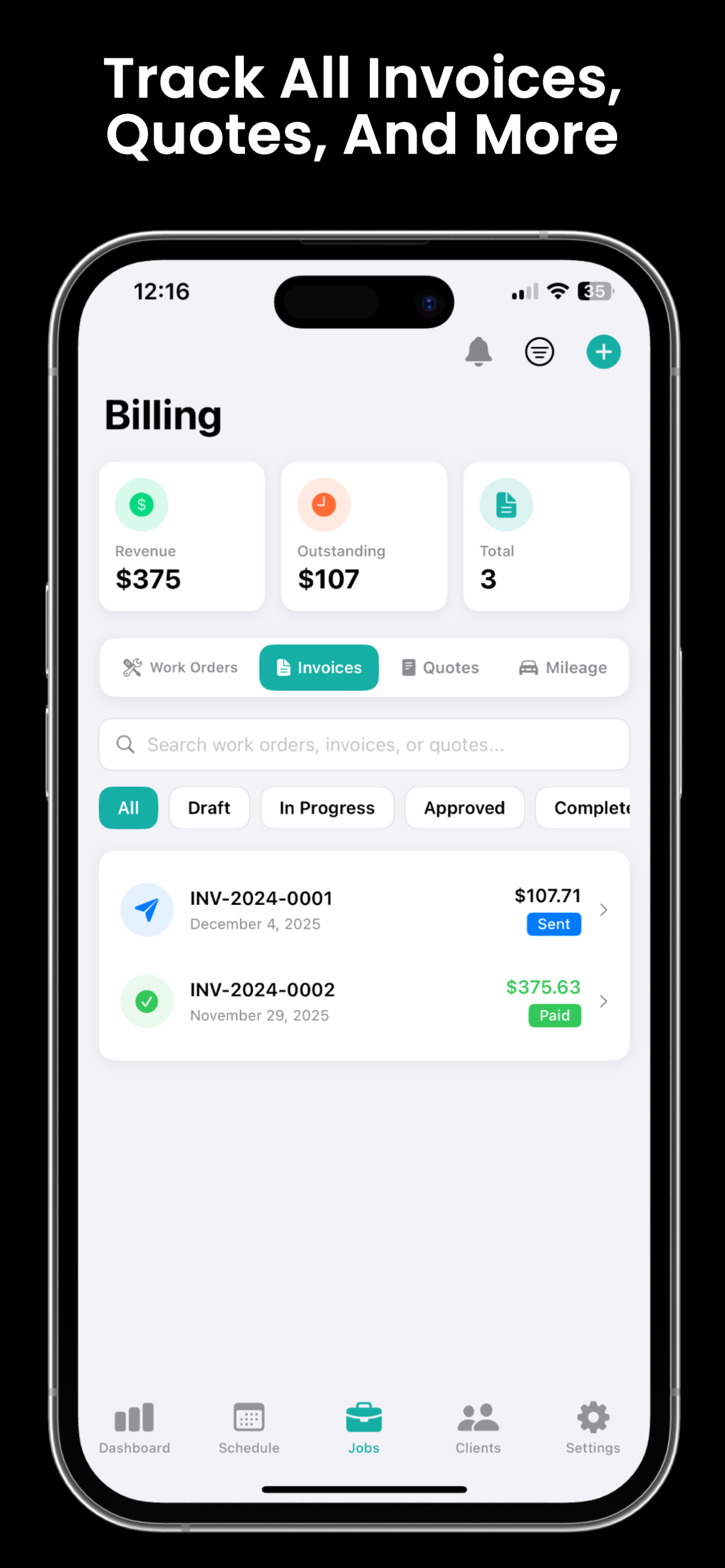
What is Trackara Pro invoicing?
Trackara Pro invoicing lets mobile mechanics build a professional, branded invoice on their phone in about two minutes, with labor, parts (and your markup), fees, and tax filled in automatically. Send it by text or email and collect card payment on-site. It's part of the all-in-one Trackara Pro app at $49.99/month, with unlimited invoices and no per-invoice fees.
You're Leaving Money on the Table
Every mobile mechanic has done it. Here's what happens when your invoicing system is a notepad and a prayer.
Forgotten Line Items
You replaced the pads, turned the rotors, bled the brakes, and used a can of brake cleaner. But when you wrote the invoice from memory? You forgot the cleaner, the hardware kit, and 15 minutes of labor. That's $40–80 you just gave away. Multiply that by five jobs a week and you're bleeding money without even knowing it.
Paper Invoices Look Amateur
Handing someone a carbon copy with grease smudges and chicken scratch doesn't exactly scream "hire me again." Customers judge your work by how you present it. A clean, itemized, professional invoice makes you look like a real business, because you are one.
No Idea Who Owes You
"I'll pay you Friday." Sound familiar? When you're running five to ten jobs a week, keeping track of who paid, who still owes you, and how much, that all gets fuzzy fast. Without a system, you end up eating the cost of unpaid work because you forgot to follow up.
Everything You Need to Invoice Like a Pro
No accounting degree required. Trackara Pro handles the math, the formatting, and the follow-up so you can focus on turning wrenches.
Cost vs. Selling Price Tracking
Enter what you paid for the part and what you're charging the customer. Trackara Pro tracks both so you always know your markup. No more guessing whether you actually made money on that water pump job.
Automatic Profit Margin Calculation
See your profit on every single invoice before you send it. Trackara Pro calculates your margins in real time so you can catch underpriced jobs and stop working for free. Know your numbers on every job, every time.
PDF Invoice Generation & Sharing
Generate a clean, professional PDF invoice and share it via text, email, or AirDrop right from the job site. Your customer gets a proper receipt and you look like you've been doing this for 20 years, even if you started last month.
Multiple Payment Method Tracking
Cash, Zelle, Venmo, CashApp, check, card, however the customer pays, you can track it. Mark invoices as paid with the payment method recorded so you know exactly where your money came from.
Tax Calculation Support
Set your local tax rate and let Trackara Pro handle the math. Taxes get calculated automatically on applicable line items. No more pulling out a calculator at the customer's house or rounding and hoping you got it right.
One-Tap Work Order Conversion
Finished the job? Convert your work order into an invoice with a single tap. All your parts, labor, and notes carry over automatically. No re-typing, no missed items, no wasted time.
From Job to Paid in Four Taps
No forms. No templates to fumble with. Just add what you did, review it, and send it.
Add Your Line Items
Add parts, labor hours, and service charges. Enter your cost and selling price for each item. Use saved service templates or create custom line items on the fly.
Review Costs and Profit
See the full breakdown: total cost, total selling price, tax, and your profit margin. Catch any mistakes or underpriced items before the invoice goes out.
Send to the Customer
Generate a PDF and share it via text message, email, or AirDrop. The customer gets a professional, itemized invoice instantly. No waiting, no follow-up emails.
Track Payment Status
Mark invoices as paid, partially paid, or outstanding. Record the payment method. Always know exactly who owes you and how much, no more guessing or forgotten follow-ups.
One Missed Labor Charge on a Brake Job = $350 Gone
Trackara Pro costs $1.67/day.
If it saves you from forgetting just one line item per month, it pays for itself three times over. That's not an expense, it's the cheapest insurance your business has.
Start Getting Paid RightInvoicing Is Just the Start
Trackara Pro connects your entire workflow. Quotes become work orders. Work orders become invoices. Everything flows together.
Quotes & Estimates
Send professional quotes before you start. Win the job with clear pricing the customer can approve.
Learn moreWork Orders
Digital work orders with signatures and photos. Convert to an invoice when the job is done.
Learn moreTime Tracking
Track labor hours on every job. Never undercharge for your time again. Bill accurately, every time.
Learn moreBusiness Analytics
See revenue, profit, and job trends at a glance. Your invoicing data feeds directly into your business dashboard.
Learn moreReady to Stop Losing Money on Invoices?
Join mobile mechanics who use Trackara Pro to invoice faster, track every dollar, and actually know their profit on every job. Your first invoice takes less than two minutes.
Invoicing FAQ
Answers for mobile mechanics
Can I create invoices from my phone as a mobile mechanic?
Yes. Trackara Pro lets you create professional invoices directly from your iPhone, iPad, or Android phone in under two minutes. Add line items, pull from service templates for common auto repair jobs, and send a branded PDF to your customer.
Does Trackara Pro track profit margins on invoices?
Yes. Every line item has separate fields for cost price and selling price. Trackara Pro calculates your profit margin automatically and shows you the markup on every invoice, so you always know what you actually made on the job.
Can I track partial payments and overdue invoices?
Yes. Record partial payments with payment method (cash, check, card, bank transfer) and date. The invoice status updates automatically between Draft, Sent, Partially Paid, Paid, and Overdue, and a dashboard shows every unpaid balance at a glance.