No more “is my car done yet?” calls.
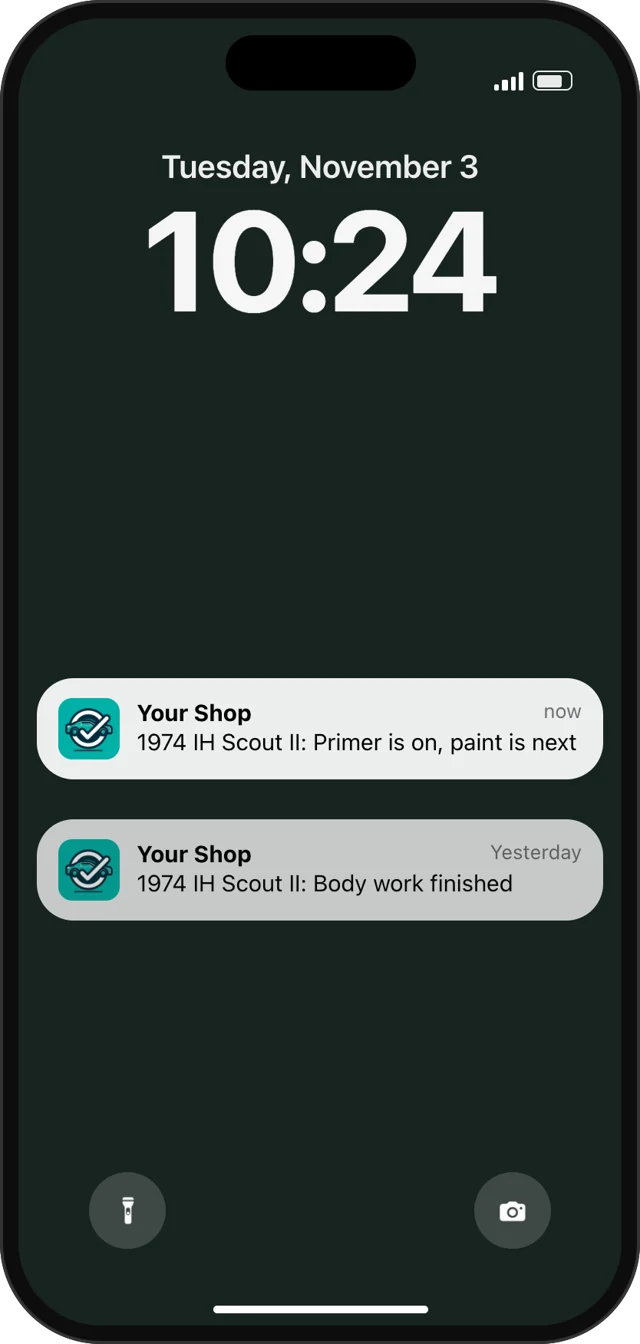
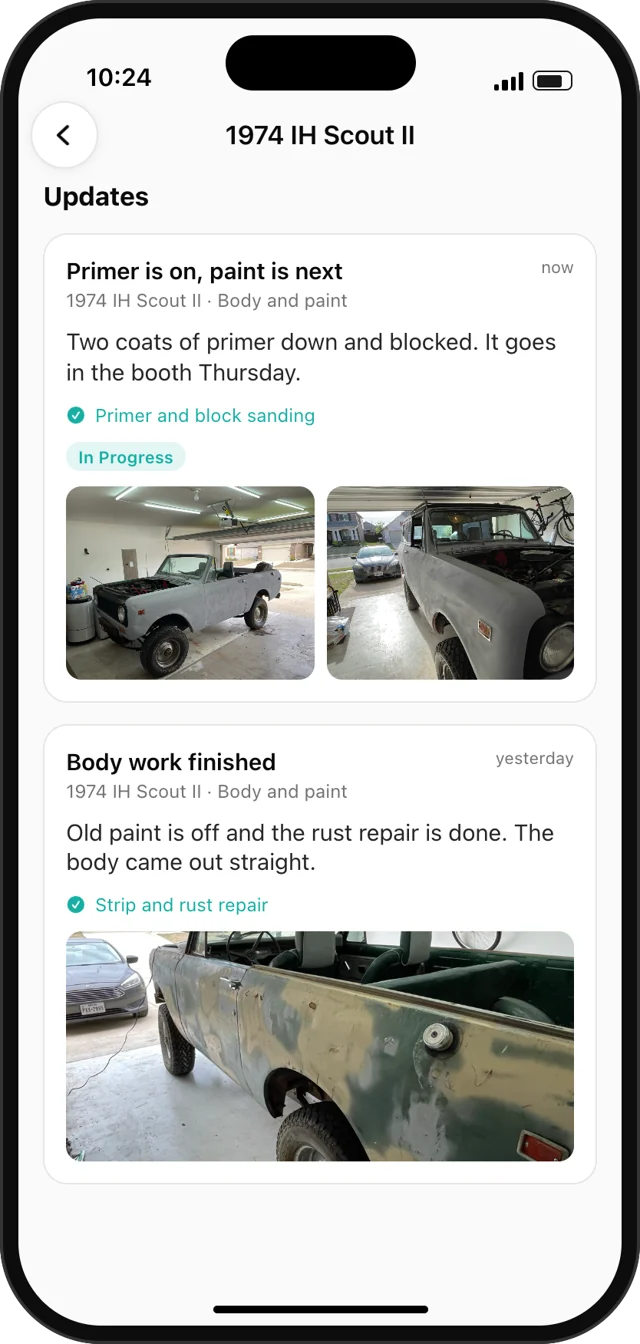
Post an update and your customer gets it on their phone, with photos, while you keep working.
$20 per customer, per year. Bill it at any price you set.
Four steps. One of them is theirs.
Add Link to the job
Put it on a quote, work order or invoice, or create a code from their customer record.
Your customer approves
They get a code by text, email or QR. That's when your $20 is charged.
They enter the code
They install the free Trackara app, enter the code and confirm it's your shop.
You post, they see it
Mark a step done or add a photo from the Pro app or web portal. Their phone buzzes.
Their whole job, in their pocket.
Your updates show up in their own app, next to everything else they track for their vehicle.
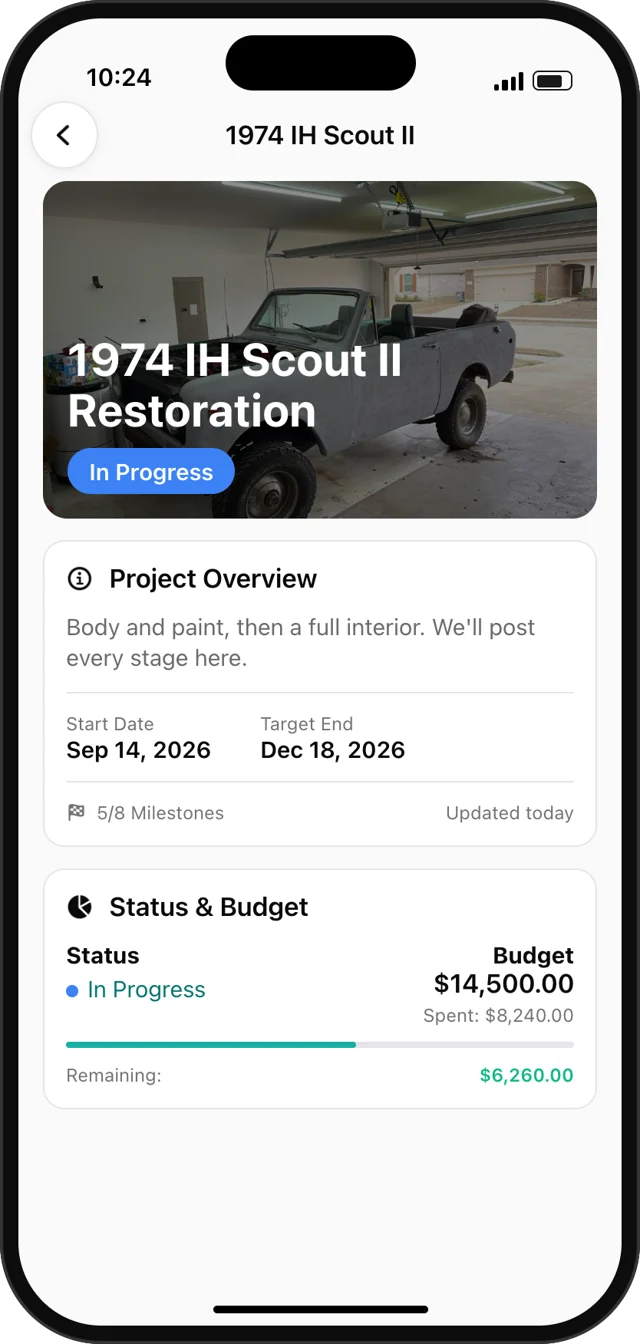
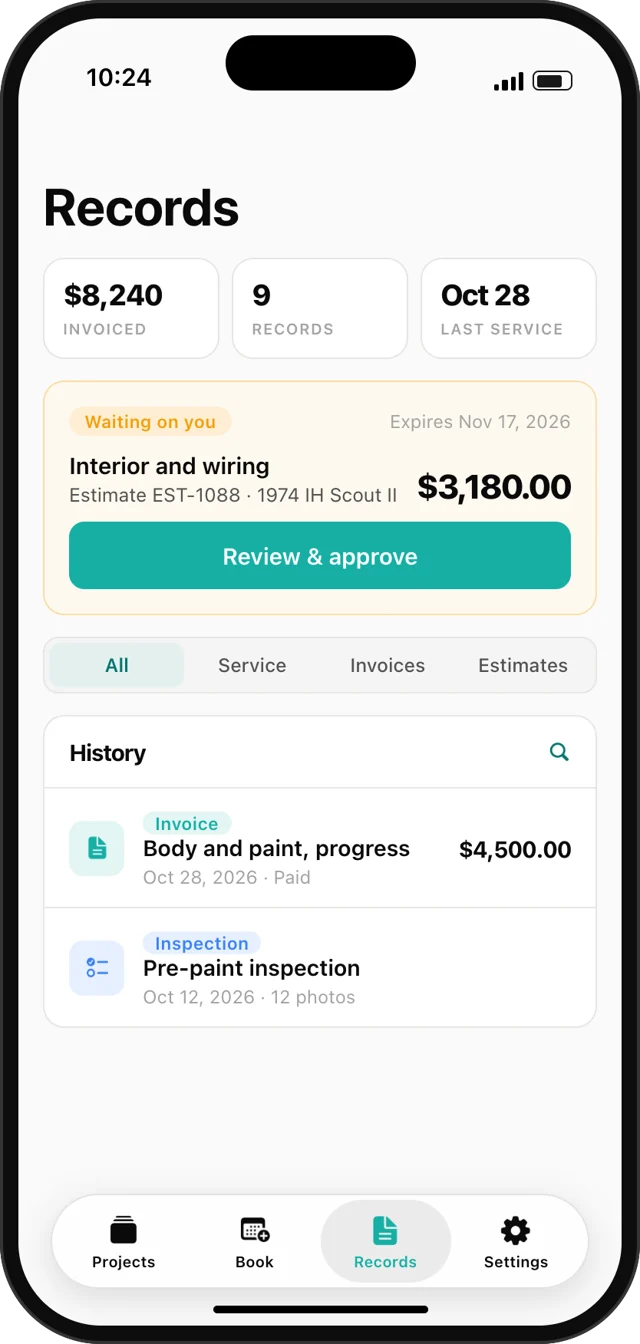
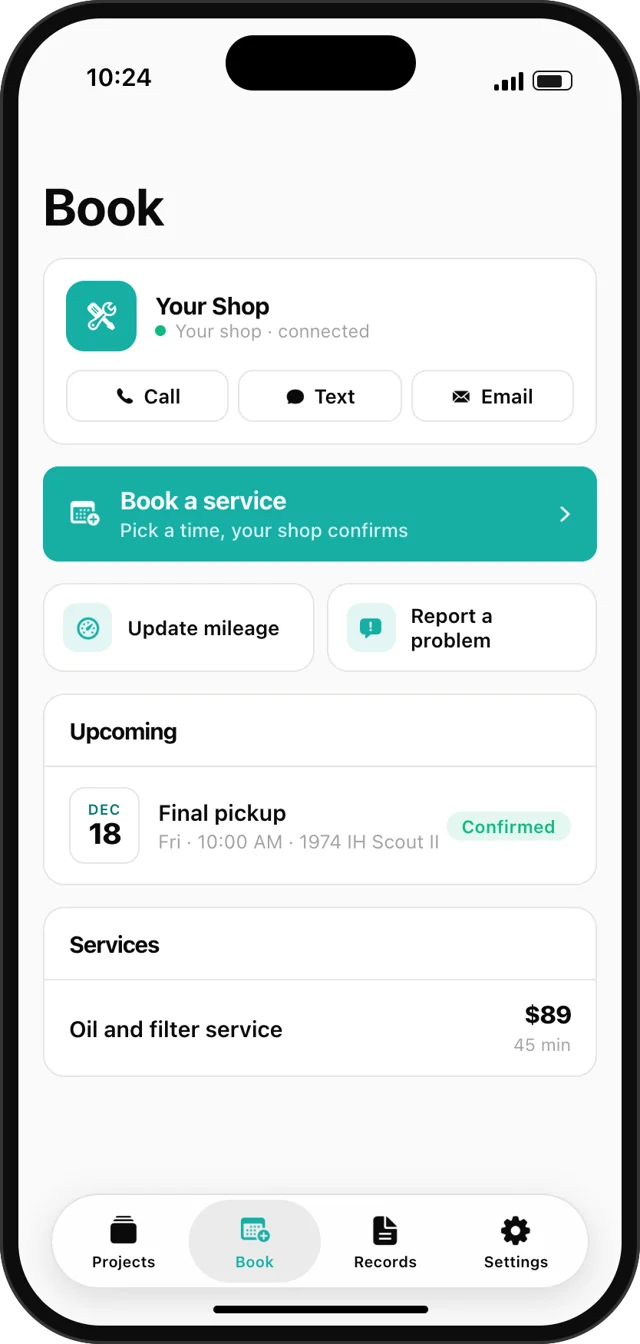
Sample job shown. Your shop name and your customer's job appear here.
Less phone tag. More repeat work.
Fewer status calls
One update answers the question before they think to call. You stay under the hood.
Proof of the work
They watch the job happen, with photos and paperwork they can pull up any time.
The next job comes to you
You stay on their phone after pickup, with booking one tap away.
Rewards your customers can earn
Customers earn points by the dollar or by the visit and track them in the Trackara app. You choose the rewards and redeem them for customers.
You decide what they see
Your margins and internal notes stay private.
- Turn milestones, photos, notes, budget, parts and maintenance on or off per project
- Invoices and estimates share automatically, or switch that off
- Use one code per customer or one per vehicle
- Extend or revoke a code at any time
- Share On My Way and they can watch you arrive on a map
- Generate codes from your phone or the web portal
You pay $20. You set the price.
Sell Link as a line item on the job and it can pay for itself.
- Only charged after your customer approves
- Unused for 60 days? You get a free code back
- No monthly fee and no limit on customers
Requires Trackara Pro, $49.99/mo with a 14-day free trial. Vehicle Health Sharing is coming soon as a separate add-on.
Any job a customer is waiting on.
Builds and restorations
Months-long jobs where the customer wants to watch it come together.
Everyday repairs
A quick photo and a note that it's ready, without a phone call.
Fleets
One code per unit, so each driver or manager sees the right vehicle.
RVs
Owners can follow the repair from anywhere, even mid-trip.
Trackara Link FAQ
What does my customer see?
Their job appears in the Trackara app: your updates, photos and milestones, plus the budget, parts and notes you choose to show. Their invoices, estimates and work orders land in Records, where they can approve estimates and keep every copy.
Does my customer need to pay for the Trackara app?
No. The app is a free download on iPhone and Android, and an active Link code covers full access, so they skip the subscription. There is no account to create. They just enter the code.
How much does Trackara Link cost?
Each code is $20 per customer per year, billed to your shop, on top of your Trackara Pro subscription. You set what you charge your customer. Add Link to a quote, work order or invoice and the code is only bought when your customer approves. If a code goes unused for 60 days, you get a free code back.
Can I run it from my phone?
Yes. You can create codes and post updates from the Trackara Pro app or the web portal at shop.trackara.app.
Can I control what my customer sees?
Yes. Each project has a Customer View switchboard for milestones, photos, notes, documentation, budget, parts and maintenance. Your margins and internal notes stay private.
Do documents go to the customer automatically?
Yes, by default. Invoices, estimates and approved work orders are shared to the linked customer's Records automatically. You can turn that off in your Link settings, or remove any single document from their app.
Can customers book through Trackara Link?
Yes. They book from the Book tab, and requests land in the same booking queue you already use. You confirm every request.
Is a code tied to a customer or a vehicle?
Your choice. A customer code covers everything they bring you. A vehicle code covers one unit, which suits fleets and shared vehicles.
What happens if my customer gets a new phone?
They enter the same code on the new phone and their connection moves with them. The old phone loses access, so a lost phone isn't a security problem. You can also revoke a code at any time.
What is Vehicle Health Sharing?
An upcoming add-on that sends a customer's OBD2 trouble codes, battery voltage and odometer back to your shop. It's still in testing and isn't available to shops yet.
Let them watch the job.
Try Trackara Pro free for 14 days and connect your first customer.